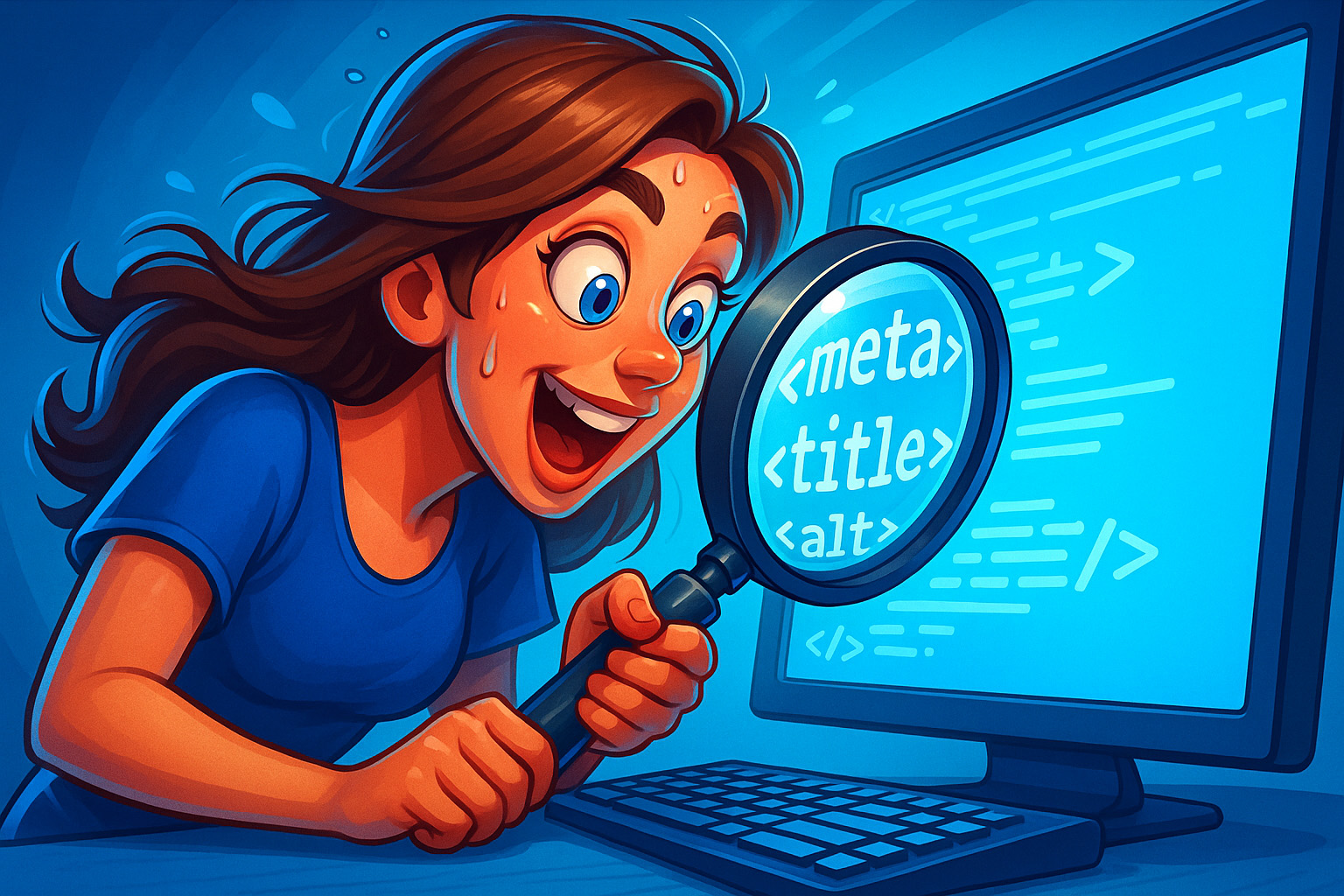
When it comes to SEO, the smallest details often make the biggest impact. Meta descriptions may only be a couple of lines long, but they’re the first impression your brand makes on Google’s stage. Think of them as your digital handshake — warm, confident, and persuasive. In this guide, Blumoo Creative will walk you through everything you need to know about writing meta descriptions that not only show up in search results, but also make users say, “Yep, that’s the one I’m clicking.”
Meta descriptions are tiny but mighty. They’re the short snippet beneath your title in search results — your page’s elevator pitch. Nail them, and you’ll turn more searches into clicks.
What is a meta description?
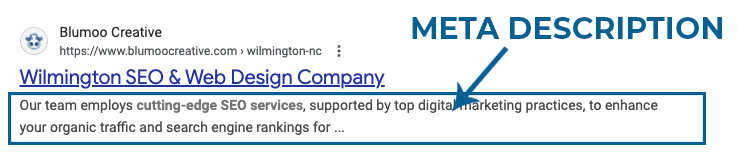
A meta description is a concise summary (aim for ~155 characters) of what a page is about. It appears under your title in search results and helps users decide if your content matches their intent.
Think of it as your digital pick‑up line — the chance to make a good first impression before a visitor even lands on your site. A bland one gets ignored, but a clever, accurate one sparks curiosity and wins clicks.
Note: Google doesn’t use meta descriptions as a ranking factor, but a compelling one can dramatically improve your click-through rate. That’s what actually drives traffic, leads, and sales.
The 3 Golden Rules
- Keep it short & complete: Stay at or under 155 chars so nothing gets cut off.
- Match the content: Be clear and honest. Set expectations that your page actually fulfills — no keyword stuffing or bait-and-switch.
- Use action verbs: Spark momentum with phrases like Discover, Learn, Compare, Get, Download. Even informational pages benefit from energy.
Why Meta Descriptions Matter More Than You Think
While meta descriptions may not affect search engine rankings directly, they heavily influence user behavior. A great meta description can be the difference between a user clicking your link or skipping to your competitor. That means more traffic, better brand visibility, and higher potential conversions for you.
It’s also about setting expectations. Misleading meta descriptions might lure clicks, but they’ll also spike your bounce rate when visitors realize they’ve been tricked. Google doesn’t like high bounce rates, and neither do your conversion goals.
So in short: better descriptions = better traffic quality = better ROI.
How to Write High-Performing Meta Descriptions
Here are several tried-and-true techniques you can implement right now to improve your meta descriptions:
- Front-load keywords: Put the primary keyword early so it’s visible and bolded in search results.
- Speak directly to your audience: Use “you” language that connects with searchers on a personal level.
- Add urgency: Phrases like “Don’t miss out” or “Start today” create a sense of FOMO.
- Highlight value: Instead of just describing, focus on the benefit: “Save money with…” “Discover how to…”
- Test variations: Try A/B testing different meta descriptions for pages with high impressions but low click-through rates.
Examples of Good vs. Bad Meta Descriptions
Bad: “Home page – Welcome to our site where we sell shoes, clothes, and accessories. Click here to see more.”
Why it fails: Generic, keyword-stuffed, and zero incentive to click.
Good: “Step into comfort. Shop our new line of eco-friendly running shoes and find your perfect fit today.”
Why it works: Clear, benefit-driven, and action-oriented.
The difference may seem small, but those few words can change click-through rates by double-digit percentages.
Common Mistakes to Avoid
- Writing meta descriptions that are too long or too short.
- Duplicating the same description across multiple pages.
- Keyword stuffing in hopes of ranking higher (Google ignores it, users hate it).
- Leaving the description field blank and letting Google auto-generate something awkward.
Each of these mistakes costs you clicks and credibility. With a little effort, you can easily avoid them.
Industry-Specific Meta Description Tips
Different industries can benefit from different approaches:
- Real Estate: Include property highlights like “3-bed oceanfront home in Wilmington – tour today.”
- Food & Beverage: Tempt readers with sensory words: “Savor fresh, made-to-order Hawaiian plates near you.”
- Coaching & Consulting: Focus on transformation: “Boost your productivity with our proven 90-day reset system.”
- E-commerce: Mention free shipping, deals, or exclusivity.
How Tools Can Help
There are plenty of tools online to help you write and preview your meta descriptions:
- Google Preview Tools – See how your description appears in live search results.
- Character Counters – Keep track of length so you don’t get cut off.
- SEO Suites (Ahrefs, SEMrush, Moz) – Provide insights into which pages underperform in click-through rates.
Step-by-Step Meta Description Process
Here’s a quick workflow you can apply for every page:
- Identify the primary keyword and user intent.
- Brainstorm 2–3 benefit-driven messages.
- Write a draft in 155 characters or less.
- Run it through a preview tool.
- Test and refine after publishing.
Future of Meta Descriptions
AI-generated snippets are becoming more common. Google sometimes rewrites your descriptions automatically, pulling text from your page. That means your on-page content matters just as much as your meta description. Still, by writing strong, clear descriptions, you increase the chance Google keeps them as-is.
In the future, meta descriptions might evolve alongside conversational search, voice assistants, and AI-driven summaries. That makes them even more important to master today.
Case Studies: Real Numbers from Real Sites
One Blumoo Creative client updated meta descriptions across their top 20 blog posts. Within 3 months, their organic click-through rate increased by 28%. Another e-commerce client added urgency-driven descriptions and saw seasonal sales increase by 15%.
The moral? This tiny tag can make a very real difference in your bottom line.
Quick Optimization Checklist
- Include the primary keyword.
- Write a unique description for each page.
- Keep it under 155 characters.
- Focus on benefits and action words.
- Preview before publishing.
Ready to level up?
Want a CTR bump without rewriting your whole site? Start with your top 10 pages and refresh those meta descriptions today.
Get help from Blumoo Creative — or call (916) 223-0367.